Goal: Find & Contact Local Clients Directly (Without Ads)
We’ll combine local directories (like Google, Finelib, BusinessList) with cold messaging strategy to get actual clients.
STEP 1: USE LOCAL DIRECTORIES TO FIND CONTACTS
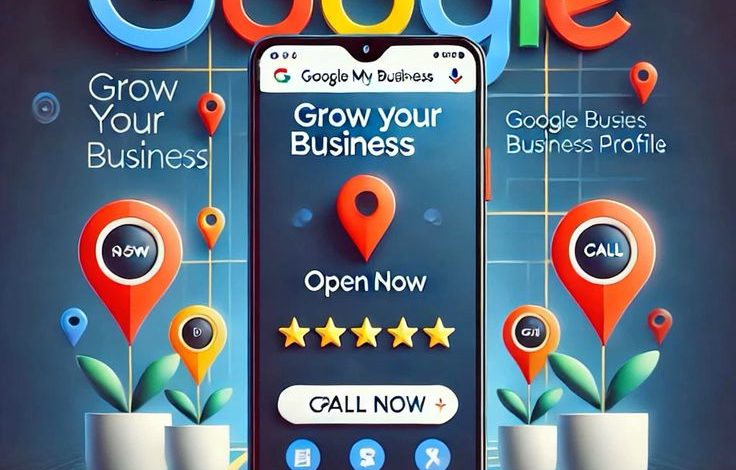
1. Google Business Profile Search
Search like this on Google:
-
“Graphic designer in Lagos”
-
“Event videographer in Abuja”
-
“Web design companies near me”
➡ Then check the right-hand business listings on Google Maps (Business Profiles).
You’ll often find:
-
Business name
-
Phone number
-
Email
-
Website
You can make a list (e.g. on Google Sheets or Excel):
| Business Name | Phone | Email | Location | Service Type | Contacted (Y/N) |
Tip: You can filter by location (Lagos, Ibadan, Port Harcourt, etc.) and industry.
2. Finelib.com
Go to www.finelib.com
Search categories like:
-
Event Planners
-
Photographers
-
Churches
-
Printing Services
-
Schools
-
Fashion Designers
➡ Each listing usually includes:
-
Phone number
-
Email
-
Website link
You can copy these contacts into your list — these are your potential clients (people already paying for visuals, design, or branding).
3. BusinessList.com.ng
Visit BusinessList Nigeria
Search by:
-
Category (e.g. “Printing”, “Churches”, “Real Estate”, “Schools”)
-
Location (e.g. “Lagos”, “Abuja”)
You’ll see contact details and sometimes social links.
Target businesses that:
-
Need online branding
-
Already advertise
-
Use visuals (so they value design or video work)
STEP 2: REACH OUT WITH WARM COLD MESSAGES
✉️ Option 1: WhatsApp / SMS
Example:
Hello [Name], I saw your business on Google/Finelib.
I’m ahelping local brands create engaging content that attracts customers online.
I’d love to design one free sample or show you what I’ve done for similar businesses.Can I send a quick sample or portfolio link?
✅ Personal
✅ No spam tone
✅ Works better when you mention their name or business
Option 2: Email Message
Subject: Professional Visuals for [Business Name]
Hi [Name],
I came across your business on [Google / Finelib / BusinessList] and love what you’re doing.
I’m ahelping [industry] brands improve visibility through quality designs and videos.
Here’s my short portfolio: [Your link or Instagram handle]
I’d be happy to discuss ideas that can attract more customers to your brand this month.
Warm regards,
[Your Name]
[Phone / WhatsApp]
Keep it short, simple, and personalized.
Option 3: Cold Calling (Polite + Value-first)
“Good morning, my name is [Your Name]. I came across your business on Google, and I help [business type] improve their visibility with
solutions.
I’d love to share one quick idea that can help your brand stand out online — may I send it to your WhatsApp or email?”
Be friendly. Don’t hard-sell — focus on value and solutions.
STEP 3: AUTOMATE OR SCALE YOUR REACH (ETHICALLY)
You can use simple tools (free or low-cost) to manage outreach:
-
Google Sheets – for tracking who you’ve contacted
-
WhatsApp Business App – with templates for messages
-
Mailchimp / Gmail bulk – for follow-up emails
-
Canva or Notion – to prepare personalized proposals or portfolios
⚠️ Don’t spam random contacts — focus on people who fit your ideal client profile and send messages one by one.
STEP 4: CONVERT INTEREST INTO DEALS
Once someone replies:
-
Move to a short WhatsApp or phone chat
-
Send them your portfolio link or samples
-
Offer a low-cost starter package (e.g., ₦5,000 design, ₦10,000 video edit)
-
After delivery, ask for testimonial + referral
PRO TIP: Position Yourself as “Local Expert”
-
Add “Serving Lagos Businesses” or “Abuja Video Editor” to your profiles
-
Update your WhatsApp Business bio with service & location
-
Create one flyer and broadcast weekly on local Facebook / WhatsApp groups